Hi everyone! 
I’m excited to share a new plugin I’ve been working on: Kirby ImageMagick Riso
This started from a discussion with @texnixe on this thread about extending ImageMagick from FocusCrop. The plugin is inspired by two things: authentic risograph printing aesthetics and reducing image file sizes. I was particularly influenced by Low-tech Magazine, which uses dithered images to drastically reduce bandwidth while maintaining visual interest.
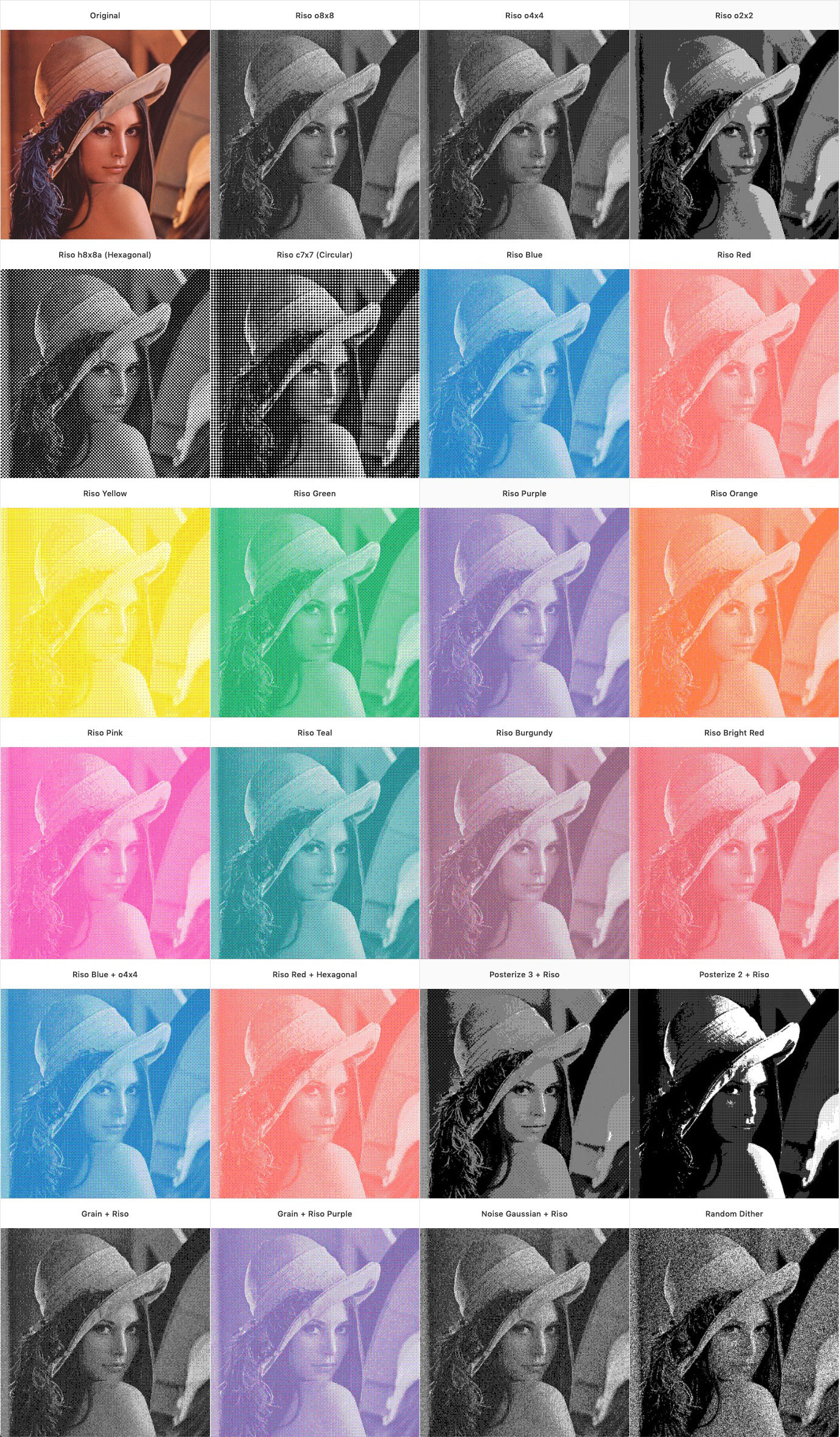
What it does
The plugin provides easy-to-use methods for applying:
-
Authentic riso dithering with multiple patterns (orthogonal, hexagonal, circular)
-
12 authentic risograph colors (blue, red, yellow, green, purple, orange, pink, teal, burgundy, etc.)
-
Advanced effects like posterize, grain, noise, and blur
-
Flexible combinations to create unique vintage print looks
-
Smaller file sizes - dithered images are significantly lighter than standard JPEGs
Quick examples
// Classic black and white riso

<?= $image->risoThumb(['width' => 800, 'riso' => 'o8x8'])->url() ?>

// Blue riso with fine pattern

<?= $image->risoThumb(['width' => 800, 'risocolor' => 'blue'])->url() ?>

 // Vintage poster effect

<?= $image->risoThumb([ 'width' => 800, 'posterize' => 3, 'grain' => 0.5, 'riso' => 'o4x4' ])->url() ?>
Features
-
 Works with ImageMagick (no GD limitations)
 -
Custom
risoThumb()method that bypasses caching issues -
12+ dither patterns (o2x2, o4x4, o8x8, hexagonal, circular)
-
Authentic riso color palette
-
Combine effects (posterize, grain, noise, blur)
-
Responsive-friendly with srcset support
Requirements
-
Kirby 4.0+ or 5.0+
-
PHP 8.2+
-
ImageMagick 6.0+ or 7.0+ installed
Testing needed! 
I’ve developed this on Kirby 4 and it should work on Kirby 5 as well, but I’d really appreciate if some of you could test it on both versions to confirm compatibility before I publish it officially.
If you’re interested in testing:
-
The plugin uses a custom
risoThumb()file method -
It requires ImageMagick to be installed and configured
-
Please let me know if you encounter any issues!
Happy to answer any questions or receive feedback to improve it before the official release!
Thanks to @texnixe for the initial guidance on extending ImageMagick functionality in Kirby! 